// blog
An AI Agent Turned a MacBook With a Broken Screen Into a Backup and File Server
An AI coding agent set up a MacBook Air with a broken screen as a home backup and file server in an afternoon, over SSH. It gives each person in the house a private drive, and every night it pulls an encrypted copy of a web server’s databases, mail and settings, keeps daily, weekly and monthly versions, checks itself and alerts a phone when anything goes wrong. A test restore brought back all seven databases. A person made the decisions and typed the passwords; the agent did the rest.
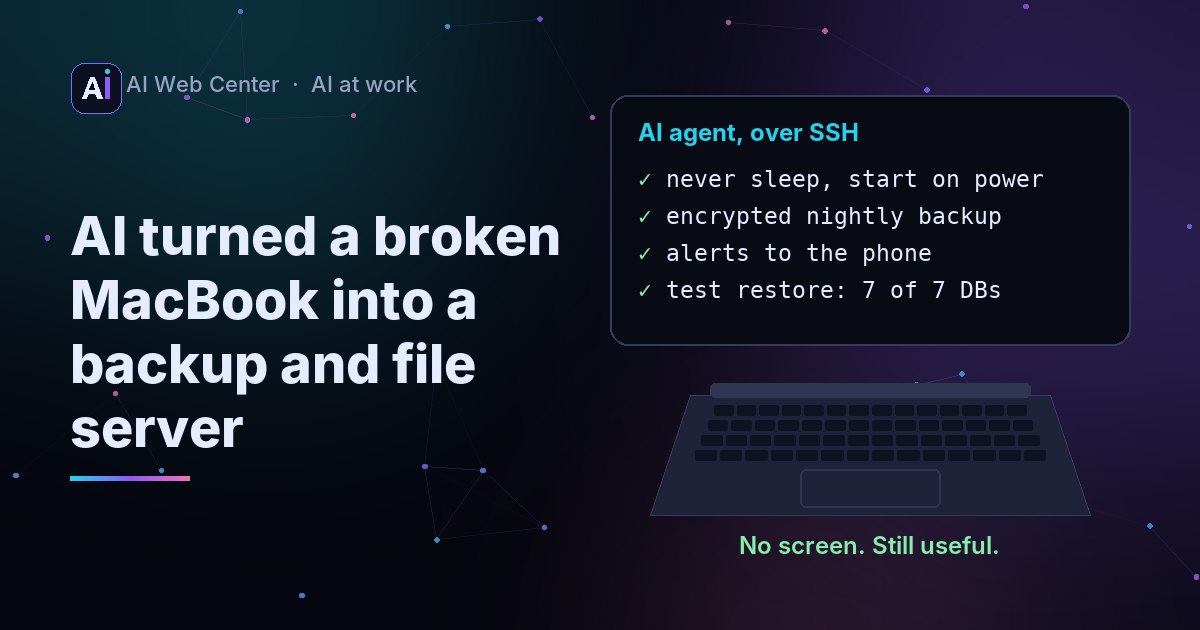
A MacBook Air (M1) with a cracked screen. Everything else works: a fast chip, no fan to wear out, a battery that rides out a power cut. Too good for the parts drawer.
So we gave it to an AI agent and asked for a backup and file server.
Before → AI → after
- Before: a MacBook with a broken screen, doing nothing.
- AI: an AI coding agent, working over SSH, set it up in one afternoon.
- After: a file server with a private drive for each person in the house, and a backup server that pulls an encrypted copy of a web server every night, keeps a year of versions and alerts a phone when something’s off. Restore tested.
What a person did by hand
Three things, about ten minutes:
- Plugged in a monitor once and turned on Remote Login.
- Added the agent’s SSH key.
- Took the broken screen off. A MacBook runs fine without one.
After that: answering questions, typing passwords and choosing who gets a drive. The agent never saw them.
What the AI agent did
Made the Mac a server. Gave it a name of its own, turned off sleep, set it to start whenever power comes back, closed the guest account and allowed sign-in by key only.
Made it a file server. Shared drives for the home network, using the file sharing built into macOS. Nothing to install.
Gave everyone their own drive. Four people, four accounts: Maya, Tom, Priya and Leo each get a private drive that shows up on their Mac, PC or iPhone like any other disk. Nobody can open anyone else’s, or even see its name. The admin account sees all four, so files are never locked away. The accounts can only reach their drive: they can’t sign in to the Mac itself. The agent wrote the setup as one script that asks for each password with the typing hidden, so the passwords never passed through the AI.
Built the backup. Every night the Mac pulls a copy from the web server: every database, the mail, the uploaded files and the server’s settings, plus a versioned copy of everyone’s drives. The server side has a backup login that can run exactly one command and nothing else. The copy is encrypted and versioned with restic, an open-source backup tool: 14 days, 8 weeks and 12 months are kept.
Made it check itself. A weekly integrity check. A phone alert if a night fails or the disk runs low. And a second alarm on the web server, in case the Mac goes quiet: no backup in 36 hours means an alert, even if the Mac itself is dead.
Looked after the battery. A MacBook plugged in all year shouldn’t sit at 100%. The charge now stops at 80%.
The proof
A backup nobody has restored is a hope, not a backup. So the agent restored one:
- First run: 1.4 GB from the server, stored as 588 MB, in 76 seconds.
- Test restore: all 7 of 7 databases came back, with every table matching the live site.
- Power test: unplugged and plugged back in, it started and ran the backup with nobody signing in.
The benefits
Bought new, the same setup would take about $1,400 of NAS, mirrored drives and a battery backup. Here is what the old MacBook does instead.
The machine
- A second life. A laptop with a broken screen does real work instead of becoming e-waste.
- A built-in battery. It rides out a short power cut, like a small UPS.
- Starts on its own. When the power comes back, it boots and carries on, with nobody signing in.
- Silent and small. The M1 Air has no fan at all. It sits on a shelf next to the router.
- Low power, little heat. A nightly backup barely wakes the M1 chip, so it uses little electricity and stays cool.
- Fast ports to grow. Its two Thunderbolt ports take an external SSD for more space, or an Ethernet adapter for a steadier connection than Wi-Fi.
- Current macOS. An M1 still gets Apple’s security fixes.
- Battery cared for. Charging stops at 80%, so a year on the charger doesn’t wear it out.
The file server
- A private drive for each person. Their own space, closed to everyone else, connected like any other disk.
- The admin sees everything. Nothing is ever lost when someone forgets a password or leaves.
- Accounts for files only. They can’t sign in to the Mac or reach anything but their own drive.
- Built into macOS. Nothing to install, and adding a person later takes one line in the script.
- Encrypted connections and a sign-in for every user.
- Backed up too. Every person’s drive gets the same nightly, versioned copy as the web server.
- More built in, ready to turn on. Time Machine backups for the other Macs in the house, Content Caching for Apple updates, and remote sign-in by SSH. All part of macOS.
The backup
- Encrypted. The key stays with the owner; the copy is unreadable without it.
- Versioned. 14 days, 8 weeks and 12 months, so a mistake found weeks later can still be undone.
- Out of the server’s reach. The Mac pulls the copy. The web server can’t reach the Mac, so a problem on the server can’t touch the backups.
- No open doors at home. Nothing on the home network is open to the internet.
- A tightly limited login. The backup login on the server can run one command and nothing else.
- Your data, at home. No outside cloud holds the copy.
- Proven. A real restore brought back every database.
The watching
- Checks itself. A weekly integrity check of every stored copy.
- Alerts a phone. If a night fails, or the disk runs low.
- A second alarm. The web server alerts on its own if no backup arrives for 36 hours, even if the Mac is dead.
- Growth in the log. A weekly line shows how big the backups are and how much space is left.
The way it was built
- An afternoon, not a week. The AI agent did the setup, a person made the calls.
- Easy to check. The nightly job is one short script, so anyone can read it or move it to another Mac.
Where the human still mattered
The agent proposed; a person decided. Which machine (an M1 Air, still on current macOS, beat the older Intel Pros in the drawer), and no automatic macOS updates on a box that should never change.
It also stopped where it should. It didn’t download outside tools on its own: it gave the commands, a person checked and ran them. That’s how an agent should work on anything that matters.
Try it yourself
- Plug in a monitor once. Turn on Remote Login in System Settings → General → Sharing.
- Give your AI coding agent SSH access with a key.
- Paste this, with your own names and server filled in:
Set up this Mac as a headless backup and file server for my home or office.

- Never sleep, start by itself when power comes back, SSH by key only, guest off.
- A private SMB drive for each of these people: [names]. Nobody sees anyone
  else's drive; the admin account sees all. Accounts for file sharing only.
- Every night, pull an encrypted, versioned restic backup of [my server] over
  SSH, with a server login that can run only the backup command. Back up the
  drives too. Keep 14 days, 8 weeks and 12 months.
- Weekly integrity check, a phone alert if a night fails or the disk runs low,
  and an alarm on the server if no backup arrives for 36 hours.
- Cap the battery charge at 80%.
- Run a test restore and show me that it worked.

Ask me before installing anything, and never ask me to paste a password
into this chat: write a script that asks for it instead.
The agent will ask questions along the way. That’s a good sign.
Why this is on our blog
This is what AI is good at in a business: the first 80% of a job that used to take days, done in an afternoon, while a person makes the calls. We use the same way of working when we move a client’s old program to the web or act as their hands-on fractional CTO.





































































































































