One image editor, on any website
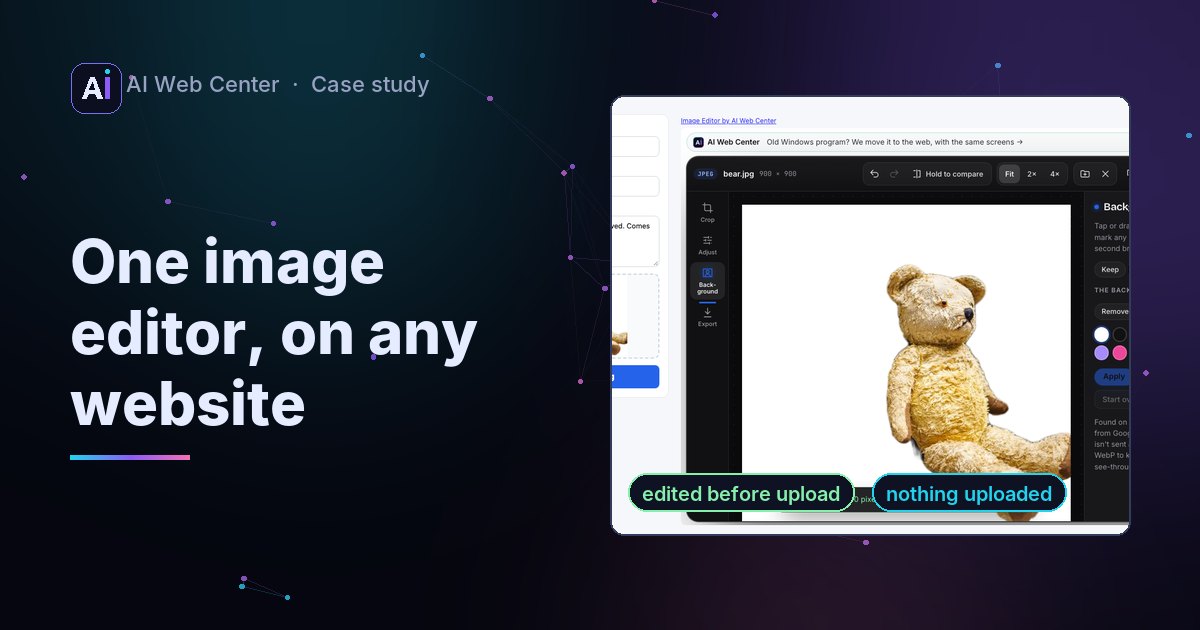
We researched what popular online photo editors offer that ours lacked, added it, and made the editor embeddable in other websites. New: background removal by an AI model that runs in the browser, camera RAW files (tested on 26 real files, with our own lossless JPEG decoder for DNGs), PDF and JPEG XL in, PDF and GIF out, a file-size limit, one-click Auto fix, borders, copy and paste. A site adds a div and a script; with one option the finished photo goes straight into its upload form, cropped and sized to its rules. Nothing is uploaded, and daily counts show use without file names, pictures or IP addresses.
The problem
Our free image editor already did the everyday jobs in the browser, without uploading a photo: crop, adjust, text, blur, watermark, removing a spot, stripping the GPS location. We wanted it on other websites too, the way our board viewer and DICOM viewer already are. Before that, it had to hold its own against the editors people actually use.
Four things had to hold:
- No upload, anywhere. Photos show faces, homes, IDs and where they were taken.
- Nothing to change on the site’s server.
- The site decides what’s shown: which tools, and what happens when the visitor is done.
- We learn how it’s used, without learning anything about the people using it.
What was missing
We compared it with the free in-browser editors and converters most people use, and with what people search for. The gaps were clear:
| Missing | Why it mattered |
|---|---|
| Remove or blur the background | Offered by nearly every online editor, and usually by uploading the photo |
| A file-size limit | “Under 100 KB” is the everyday rule of passport, job and school forms |
| PDF out, PDF in | “JPG to PDF” and “PDF to JPG” are everyday jobs for forms and documents |
| Camera RAW files | Photographers’ own files, usually needing the camera maker’s software |
| JPEG XL, GIF out | Newer phones and cameras write JPEG XL; GIF is still asked for |
| One-click fix, borders, paste and copy | Small, but expected everywhere |
| Headshot retouching | Asked for by anyone with a profile photo, and usually done by uploading a face |
All of it was added, in the browser, with no server work per photo.
The decisions
The AI runs on the visitor’s device
Background removal uses Google’s MediaPipe Interactive Segmenter, an Apache 2.0 model built for “tap the thing you mean”. The 30 MB model is served from our own site, because the site’s security policy allows nothing else, and downloads only when the Background tool opens. The photo is read once; every tap after that only runs the model’s small decoder, which is quick. Keep and Take away strokes fix what one tap misses. A simple background blur makes the subject’s colors glow into the background, so the blur weighs each pixel by how much it is background.
Retouch reuses the face model and the WebGL drawing code of our plastic surgery example: Google’s MediaPipe Face Landmarker (Apache 2.0, about 4 MB) marks the face, and the shader smooths skin, lightens under-eyes, whitens teeth and reshapes from the face’s own measurements, so the preview and the full-size photo match. With data-tab="retouch" a site’s profile form opens each photo on it.
RAW files, checked against real cameras
Most RAW files carry a full-size JPEG the camera made, so the editor opens that. DNGs often don’t, so the editor develops them: it unpacks the sensor data (with its own lossless JPEG decoder, written from the JPEG standard), applies black and white levels, demosaics, white-balances as shot and converts to sRGB with the file’s own color matrix.
Jan found three public collections of sample files, and we ran all 26 through it: CR3, CR2, CRW, NEF, NRW, ARW, SR2, SRF, RAF, RW2, ORF, PEF and DNGs from cameras, a drone and two iPhones. They exposed three faults before release:
- A Canon DNG came out magenta, with a black strip. The DNG’s
ActiveArea, which leaves out the sensor’s masked edge, was ignored, so every color was read one pixel off. The full story. - Compressed DNGs opened as tiny previews, such as 960 pixels wide for a 4,024-pixel drone photo, until the lossless JPEG decoder was written.
- Canon’s CRW and CR3 weren’t recognized or showed no camera data, until their containers were read.
All 26 now open but one, a Leica Digilux 2 file with no JPEG inside and Panasonic’s own packing, which gets a clear message.
One core, three homes
The editor is one React component. Our tool page shows it with sample photos and a batch converter, the Glint example shows it inside a fictional photo app, and the embed page shows it with an embed setting. That setting changes what an embedding site would want changed: no samples, only the tools it lists, its own accent color, and what the finish button does. Every fix reaches all three. The strip above the embedded editor is the same component as the two viewers’.
The photo goes into the site’s form
Most sites that take photos have an upload form already. So with data-save="page" the finish button hands the photo to the site’s page instead of the visitor’s downloads:
- The editor applies the site’s rules first: a format, a longest side, a size in kilobytes.
- It transfers the file’s bytes to the page with
postMessage, so a large photo isn’t copied. - The script on the site’s page checks that the message came from our origin and from its own frame, wraps the bytes in a
File, and puts it in the form’s file input with aDataTransfer.
The form uploads it as it always did; the site’s server doesn’t change. How the handoff works.
Only one page may be framed
Every page of our site refuses to be shown in another site’s frame. The nginx config has one exception per embeddable tool, and the editor’s embed page is the third.
Counts, never photos
Each opened image sends one count: what happened (opened, saved, a tool applied), where, how it came in, the format, and the embedding site’s name. Never a file name or a picture. Each tool is counted once per image, so a slider dragged a hundred times is one count. The server checks every field against a short list and keeps daily totals with no IP address. Before this, the editor sent nothing at all, so the privacy policy, the tool page and Glint’s FAQ were changed with it.
How it was checked
- In headless Chromium, on November 13, 2026, with a second local server playing a marketplace’s listing page, so the browser treated it as a separate site:
- The page’s own photo opened in the editor, with only the four tools it listed and its blue in place of our magenta.
- Use this photo put a JPEG of the right size into the form’s file field and fired the event.
- The editor without settings showed no sample photos, and the counts sent were exactly the fields above.
- The guide’s live form received a 1,200 × 1,600 photo of 282 KB under its 300 KB limit.
- Testing caught two embed faults: inside a 1,000-pixel frame the tools fell under the photo and the frame had to scroll, and the site’s accent color reached only half the buttons because the stylesheet had the magenta written in directly. Both were fixed before release.
- The editor’s file code has its own tests: lossless JPEG with every predictor and restart markers, small DNGs built in the test, GIF and PDF files read back by Pillow and pdf.js, and fuzzing with damaged files. The server’s field checks have unit tests too.
- Auto fix first made a blue cast worse, because one curve stretched every color alike. It now corrects each channel separately, and a test checks that gray stays gray.
What it means for your product
People’s photos, like their medical and financial files, are better kept on their own device. The same patterns work in any product: run the model where the data is, fit the result to the form before it’s sent, frame one page and nothing else, and count use without collecting people. If that’s on your table, the first 30-minute call is free.
Try it: the editor · the guide for websites · for site owners · edit before upload · remove a background · camera RAW · under 100 KB