Share a DICOM study with a link, live
Yes, AI Web Center’s free DICOM viewer shares studies with a link. Open a study, press Share, and send the link (or its QR code) and an 8-digit code. After you admit your guest, the study goes from your browser to theirs, encrypted, and they follow your image, window, zoom, drawings and 3D view live. Your guest needs no account and installs nothing. Unlike cloud sharing services, the study is never uploaded or stored: the link works while your visit is open, up to 2 hours. It’s for de-identified studies, teaching, research and communication, not diagnosis.
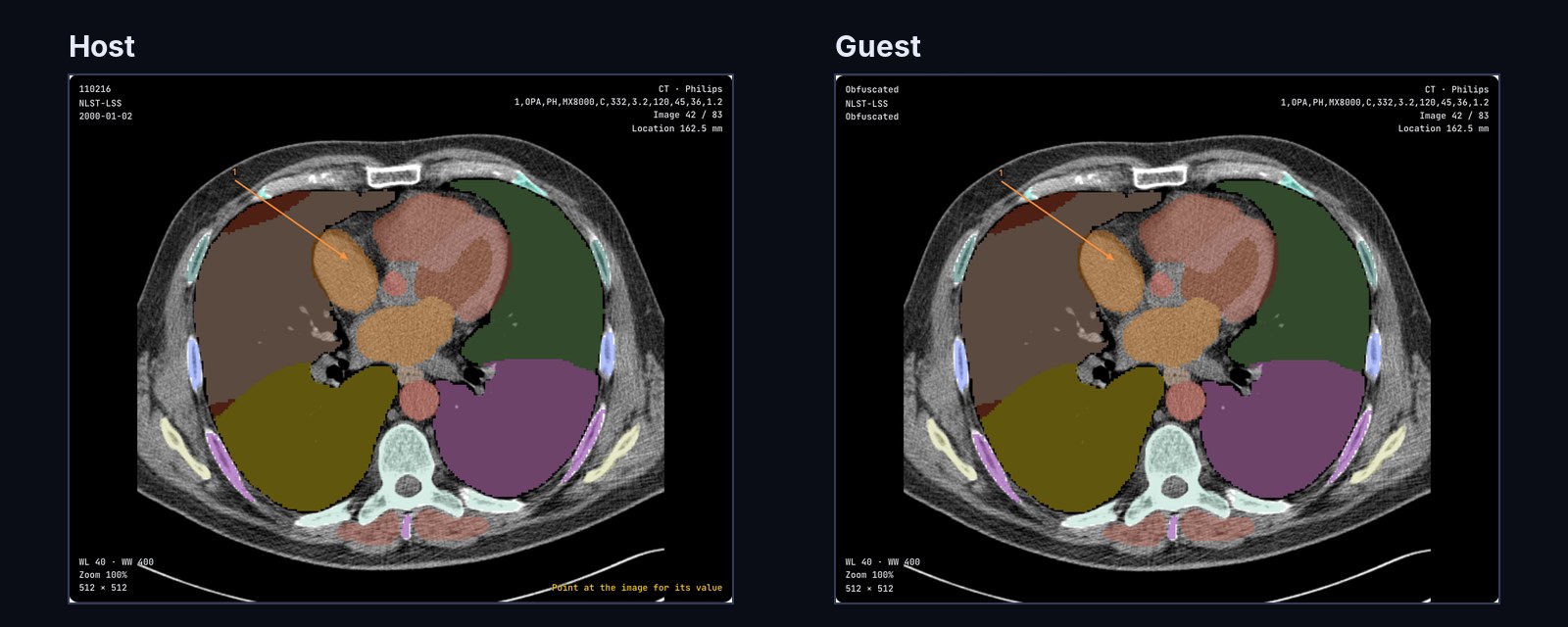
Send a link, and the other person sees your study: the real images, not a video of your screen. Nothing is uploaded, and nothing is kept.
Open the DICOM viewer and press Share →
How it works
- Open a de-identified study in the viewer, or one of its samples.
- Press Share, then Start live visit.
- Send the link by email, text or QR code. Give the 8-digit code another way, by phone for example.
- Your guest types a name and the code. You press Admit.
- The study goes to their browser, and they follow you.
What your guest sees
- Your image, window, zoom, position and rotation.
- Arrows, boxes, ovals and text as you draw them, and your pointer.
- The 3D view, turning as you turn it.
- Segmentations in their colors.
A link, but no cloud copy
| Share | Cloud sharing services | |
|---|---|---|
| Where the study goes | Your browser to your guest’s, encrypted | Uploaded to the service’s servers |
| What’s kept | Nothing about the study | The study, for as long as the link lives |
| How long the link works | While your visit is open, up to 2 hours | Days to months, or until deleted |
| What your guest needs | A browser | A browser |
| Price | Free, one to one | Usually a monthly plan |
Who it’s for
- Teaching: office hours, a tutorial, a class following one study.
- Research: two people going over a segmentation on the real pixels.
- Institutions: sites and partners who need to look at one study together and don’t share an archive.
Limits
For de-identified studies only. Not a medical device, not for diagnosis. Some networks block this kind of connection; the viewer says so when that happens.
More: what we keep · the viewer · put it on your website
Frequently asked questions
Can I share DICOM files with a link from AI Web Center?
Yes. Share in the free DICOM viewer makes a link (and a QR code) plus an 8-digit code. Your guest opens the link in a browser, types a name and the code, and you admit them. The study then goes from your browser to theirs.
Is the study uploaded to a server?
No. It goes browser to browser, encrypted. When a network doesn't allow a direct connection, the encrypted data passes through our relay, which can't read it and doesn't store it. Our server only introduces the two browsers and forgets the visit when it ends.
How long does the link work?
While your visit is open: until you end it, 10 minutes after you leave, or after 2 hours. It's a live link, not a stored copy. For a file your guest keeps, send the file itself.
How is this different from cloud DICOM sharing services?
Cloud services upload the study to their servers and keep it for the link to work later. Share keeps nothing: the images exist only in your browser and your guest's, and only while the visit lasts.
How many people can join?
One guest, free. Groups of up to 4 and up to 50 are free to try through January 2, 2027.
Can I share scans with patient information?
No. Share is for de-identified studies. On the guest's screen most tag values read Obfuscated, but text burned into the picture stays, so check the images before you share.
Is it for diagnosis?
No. The viewer is a technology demonstration, not a medical device. Diagnosis stays on a diagnostic PACS or workstation.