A Visual Basic program, from one PC to the web
We took an open-source VB.NET Windows Forms program that tracks equipment loans in MySQL (Diaz Adriansyah’s Inventory Management App, MIT License) and rebuilt it as a web app on React, C# and PostgreSQL for a made-up tool room. Reading its code turned up six bugs, from a delete that removed every record to passwords kept in plain text; each is fixed. Counts are worked out from the loans and repairs instead of being stored, every rule runs on the server with 12 tests, and reports download as real Excel files without Office.
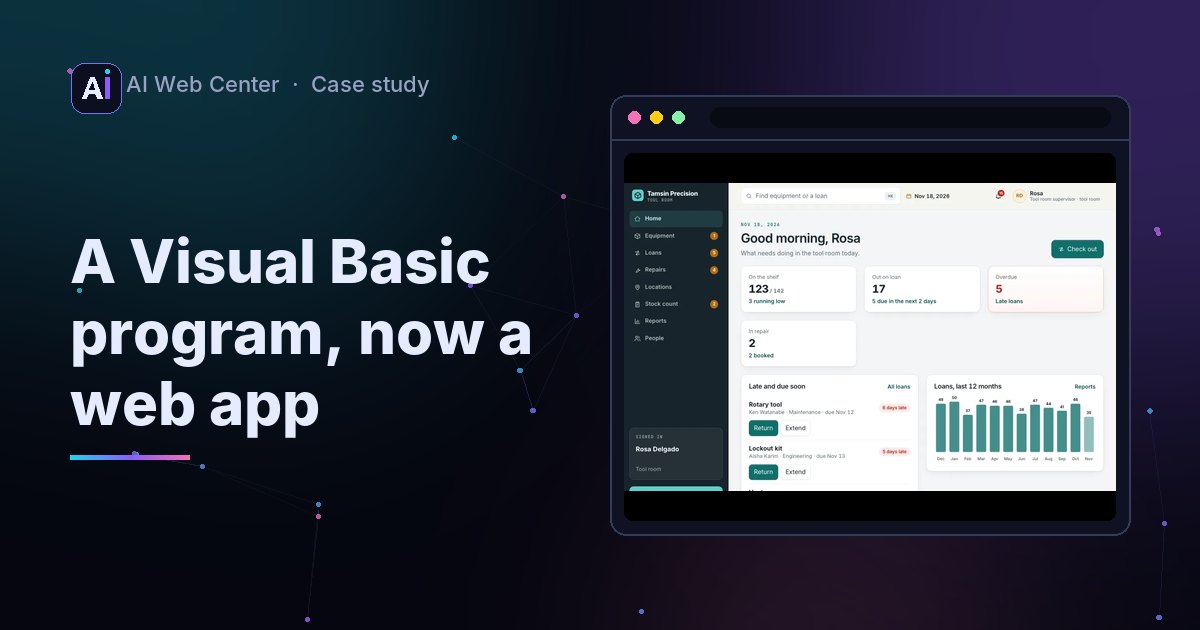
The problem
A lot of small businesses run on a Visual Basic program: written years ago, installed on one PC, with its database on the same machine. It works until that PC dies, or someone needs it from home.
We wanted to show what moving one looks like, on a real Visual Basic program with its code in the open.
Open the web app · About the example
What we started from
| Part | Source |
|---|---|
| The program: Windows Forms screens, VB.NET code, a MySQL database with stored procedures and triggers | Diaz Adriansyah’s Inventory Management App, MIT License |
| What it does: lend equipment out, take it back, track repairs and stock | The original’s screens and tables |
| The company, people, equipment and a year of loans | Made up, by a script |
| Screens, rules, reports, code | Ours |
The original was written for a lab in Indonesia, in Indonesian. The web version is in English and set in a small manufacturer’s tool room, Tamsin Precision, where staff borrow calipers, meters and laptops.
What we found in the code
Reading the original’s VB.NET and its database turned up six problems. Old business programs usually have a few like these.
| In the original | What it did | Now |
|---|---|---|
| A delete procedure’s parameter had the same name as its column | WHERE id = id matched every row, so one delete removed every record |
Each change names exactly one record |
| A database trigger declared a variable with the same name as a column | The stock count could go blank when a loan was deleted | Counts are worked out from the loans and repairs, never stored |
| A trigger called a procedure that wasn’t in the database | Adding an item failed | Every rule is in the server’s code, with tests |
| Typed text went straight into the SQL | An apostrophe in a note broke saving a loan | Every value is passed safely |
| A users table with plain-text passwords | Anyone with the database had every password | People sign in with their company account |
| A sample loan returned before it went out | Nothing checked the dates | Dates are checked, and returned loans stay in the history |
The second one follows MySQL’s documented rule that a local variable wins over a column of the same name; we read it in the code rather than run it.
The rules
Each rule is one sentence, built once on the server:
- Staff borrow only for themselves; the tool room checks out for anyone.
- A loan is due between today and 60 days out, and an extension can’t go past 60 days from the start.
- Something returned broken goes straight to repair, not back on the shelf.
- A repair starts only if a unit is on the shelf, and takes it off.
- The number owned can’t drop below what’s on loan and in repair.
- An item with history can’t be deleted; a room with equipment in it can’t be deleted.
- A stock count that comes up short needs a note.
- Nobody can lock themselves out, and someone with equipment out can’t be made inactive.
On the shelf is always owned, minus on loan, minus in repair. Because it’s worked out each time, it can’t drift the way a stored count did.
How it works
Every change a visitor makes is an event in their own sandbox. The server replays the data and those events to get the current state, checks the new action against it, and only then saves it. The browser shows the same rules so a button can be greyed out at once, but the server decides.
| Check | Result |
|---|---|
| Rule tests in C# | 12 passing |
| Excel export | A real .xlsx with four sheets, checked by tests and opened cleanly in a spreadsheet library |
| Seed history | 30 kinds of equipment, 14 people, 547 loans and 62 repairs over a year |
The Windows program next to the web
| In the Windows program | On the web |
|---|---|
| MySQL on the same PC, as root, with no password | A server database, backed up, with its own account |
| Windows Forms screens | Screens that work on a phone |
| VB.NET behind the buttons, triggers in the database | C# rules every change goes through, with tests |
| Export through Excel on the PC | A real .xlsx download, no Office needed |
| A users table with passwords | Company sign-in; staff and the tool room see different things |
What this means for your program
Your Visual Basic program has the same parts, whether it’s VB6 or VB.NET. The work is the same too: read the code, write each rule down, check it with the people who use it, move the data and compare the totals, then switch.
Move your WinForms app to the web · Move your VB6 program to the web. The first call is free.